Compare Online Payment Systems and Providers for Your Business
Compare payment tools for stores, schools, billers, and growing firms.

What Are Payment Systems?
What are payment systems? They are tools that move money from a buyer to a business.
Online payment systems support digital payments through cards, bank accounts, and wallets. They help firms take payments without handling cash.
A payment gateway sends payment details in a safe form. A payment service checks the request and returns an approval or decline.
USA payment systems often support cards, bank payments, and mobile wallets. Payment systems in the US must also fit local rules, tax needs, and buyer habits.
- Online stores need fast checkout and clear prices
- Schools need tuition plans, receipts, and family accounts
- Billers need due dates, repeat charges, and payment notices
- Global firms need more currencies and country support
Some firms use one provider for every sales channel. Others combine a gateway, bank tool, and billing system.
The right choice depends on your buyers, sales model, risk level, and support needs.
Key Features to Check
Start with the full cost of each payment system. Fees may include a fixed charge and a share of each payment.
Monthly fees may apply as well. Refunds and chargebacks can add more cost. Cross-border payments may add a currency spread.
Security must protect payment data from checkout through settlement. Look for token use, sign-in checks, risk rules, and fraud tools.
Providers should support the PCI DSS requirements for card data safety. Your own setup still matters. Poor code can weaken a strong service.
Integration affects both build time and upkeep. Check for plugins, APIs, test tools, and clear setup guides.
Support matters when payments fail. Ask how fast the provider handles outages, disputes, and blocked accounts.
| Feature | What to check | Why it matters |
|---|---|---|
| Fees | Rates, refunds, and dispute costs | Shows your real payment cost |
| Security | Tokens, risk checks, and access rules | Helps cut fraud and data loss |
| Integration | Plugins, APIs, and test tools | Sets build time and upkeep needs |
| Support | Phone, chat, email, and reply times | Limits delays during payment issues |
Review the Federal Reserve payment systems overview for useful context on US payment rails.

Types of Online Payment Systems
Payment systems fall into several broad groups. Each group suits a different sales path and cash flow need.
Hosted checkout sends buyers to a provider page. It can reduce build work. It may also limit control over the checkout design.
Embedded checkout keeps the payment form on your site. It can create a smoother brand flow. It needs more care during setup and testing.
Bank payment tools move funds from a customer account. They may cost less than cards. They may also return a slower result.
- Card systems: Good for fast checkout and broad reach
- Digital wallets: Useful for repeat buyers who want fewer fields
- Bank payments: Useful for large bills and lower costs
- Subscription tools: Built for repeat charges and plan changes
- Invoice systems: Help firms send bills and track status
Token payment systems replace card details with a safe token. The token helps reduce the need to store card data.
Touchless payment systems use tap, wallets, or nearby devices. They can speed up checkout in stores and at events.
Remote payment processing helps firms take payments by phone or through a secure link. Portable payment processing helps staff take payments away from a fixed desk.
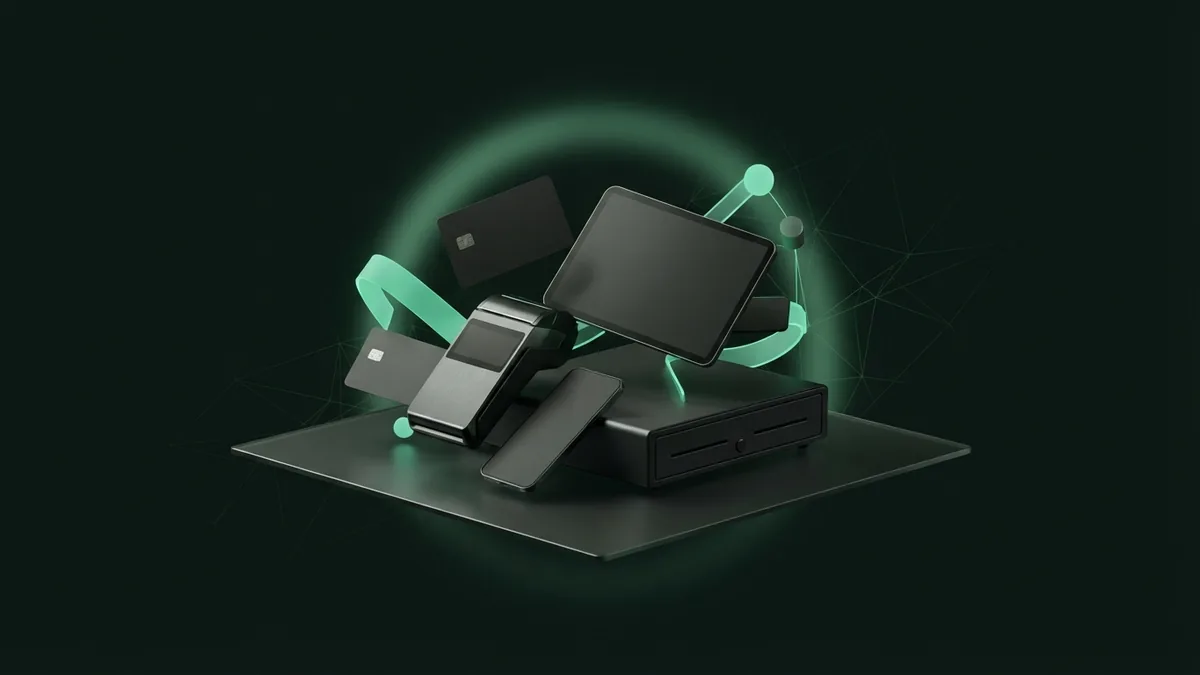
Online Payment Systems for Ecommerce
Online payment systems for ecommerce should make checkout quick and clear. Each extra field can create doubt or delay.
Payment systems for electronic commerce should support cards, wallets, and bank methods. Offer the methods your buyers already use.
Ecommerce online payment tools must work well on phones and tablets. They should show tax, shipping, and the final price before payment.
Good tools support refunds and saved payment methods. They should return a clear result to your store.
Track the path from cart to paid order. A high decline rate may point to risk rules or weak checkout design.
- Test checkout on phones, tablets, and desktop screens
- Show fees, shipping, tax, and the final total
- Offer at least two trusted payment methods
- Test refunds, failed payments, and repeat orders
- Watch approval rates by device and payment type
Keep a backup plan for outages. If payment systems are down, show a clear notice and offer another payment path.
Searches for “payment systems down today” often signal a live service issue. Check the provider status page before changing your store code.

Payment Systems for Schools and Billers
Online payment systems for schools need more than a card form. They must match tuition plans, family accounts, and school records.
A school may need one-time tuition payments and monthly plans. It may also collect fees for meals, trips, books, or sports.
The system should show who paid and what the payment covers. It should create receipts and support partial refunds.
Bill payment systems serve a different need. They should show due dates, balances, notices, and repeat payment choices.
Online bill payment systems should link each payment to the right account. Staff need search tools, reports, and clear refund records.
- Set rules for partial and full payments
- Send receipts by email or through an account page
- Allow staff to review failed and late payments
- Keep family and customer records separate
- Test payment links before each billing cycle
Higher education may need aid records, term bills, and many payment plans. Utility firms may need alerts, autopay, and account balance checks.
Choose tools that fit your records. A fast checkout cannot fix poor account matching.
How to Compare Payment Providers
Start with a list of your payment needs. Include sales channels, payment types, countries, refunds, and reports.
Then compare providers on the same set of measures. This creates a fair online payment systems comparison.
| Provider | Common strength | Best fit | Watch for |
|---|---|---|---|
| PayPal | Wallet reach and buyer trust | Small firms and online sellers | Fees and account holds |
| Stripe | Developer tools and billing features | Custom stores and software firms | Build work and support needs |
| Adyen | Global payment coverage | Large firms with many markets | Setup needs and sales volume |
| Square | Simple store and online tools | Small shops and service firms | Advanced global needs |
This list of online payment systems is a starting point, not a final score. Pricing and features can change by country and business type.
Ask each provider for a clear fee sheet. Request details on disputes, payout timing, reserves, and currency conversion.
Test the full payment path before launch. Include a failed card, a refund, a repeat payment, and a support request.
Reliability should rank beside price. A low fee has little value when customers cannot pay.
Making the Final Choice
Pick a payment system that fits your present needs and likely growth. Avoid paying for complex tools that your team cannot run.
Check the provider's rules for data use, account closure, and payout holds. Read the contract before you connect live payments.
Plan your payment systems integration in stages. Start with a test account, review the results, then move to a small live group.
Track approval rates, failed payments, refund time, and support replies after launch. These numbers show where the system needs work.
- Map every payment path before you choose a provider
- Compare total cost, not only the headline rate
- Test security, refunds, reports, and outage plans
- Train staff on failed payments and customer questions
- Review results each month after launch
The best online payment systems make payment simple for buyers and staff. They also give your firm clear records and room to grow.
Frequently asked questions
- What are payment systems?
- Payment systems are tools that move money from buyers to businesses. They can support cards, bank payments, wallets, invoices, and repeat billing.
- What should I compare in online payment systems?
- Compare total fees, security tools, payment methods, setup needs, support, payout timing, and reports. Test each provider with the same payment cases.
- Which payment systems are best for ecommerce?
- The best choice depends on your buyers, sales volume, regions, and store platform. Look for fast checkout, wallets, refunds, fraud tools, and clear payment results.
- How do payment systems for schools differ?
- School systems often need tuition plans, family accounts, receipts, partial refunds, and links to school records. A basic card form may not meet these needs.
- What should I do when payment systems are down?
- Check the provider status page first. Show customers a clear notice, pause repeated retries, and offer another payment path when possible.
- How can a business plan payment systems integration?
- Start with a test account and map each payment path. Test approvals, declines, refunds, reports, and repeat payments before a small live launch.
Related reading

Payment Networks — Who Moves Money and How
See how payment networks link customers, merchants, banks, and payment services.

Cancel Recurring Payments Before They Renew
Find each recurring charge, cancel it at the source, and check your statements.

Cryptocurrency Payment Gateways — How They Work
See how crypto gateways work, what they cost, and how to choose one for your business.